Growth Lab does a small number of things and does them carefully. Every feature below is in the product today; nothing on this page is a roadmap.
Upload a finished video once, write one caption, and choose any combination of your connected accounts.
Published through the official Instagram Graph API to the professional account you connected. The caption you write becomes the Reel's caption.
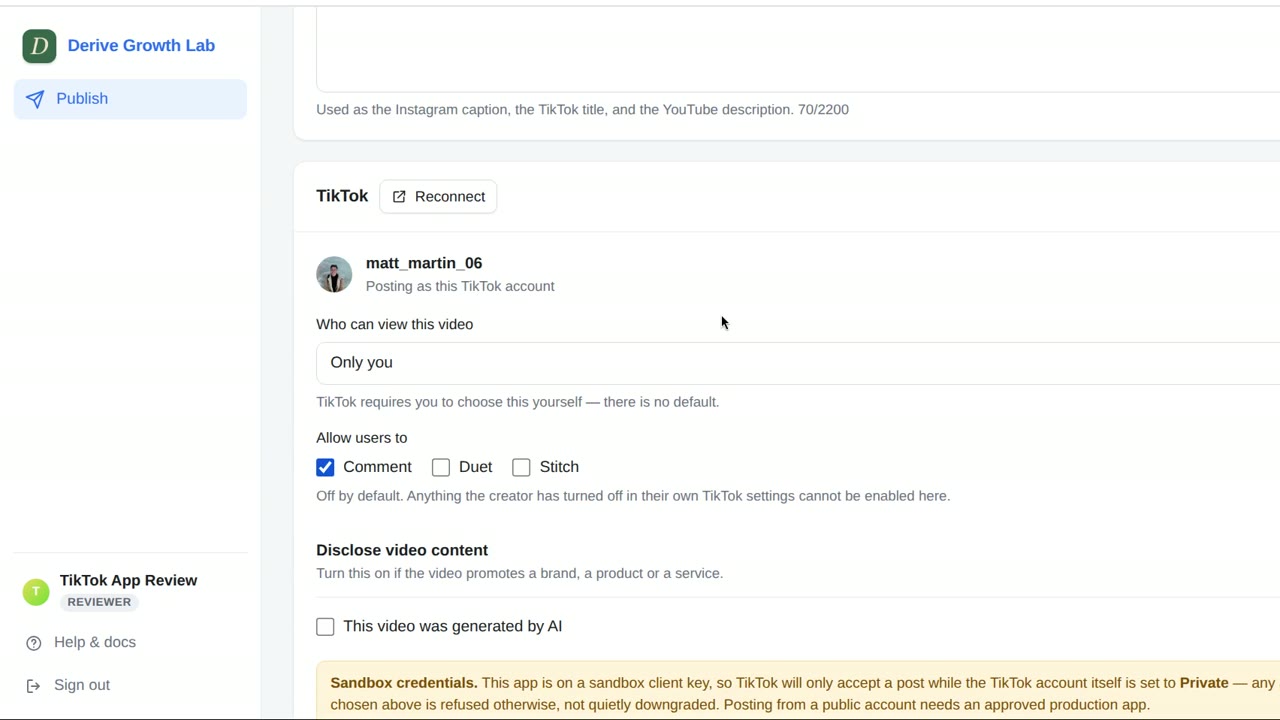
Published through TikTok's Content Posting API. The caption becomes the video's title, and every sharing option is the one you chose on TikTok's section of the screen.
Uploaded through the YouTube Data API. YouTube gets its own title field, separate from the description, and a visibility of Private, Unlisted or Public.
The caption box shows its length as you type and is used as the Instagram caption, the TikTok title and the YouTube description, so it is written once rather than three times.
When TikTok is one of the destinations, it gets its own section on the screen. It follows TikTok's content-sharing guidelines control by control.
A video is uploaded to Growth Lab first and stays there until you press Post. Nothing reaches Instagram, TikTok or YouTube at the upload step.
Drop a finished MP4 or MOV onto the page, or click to choose one. A progress bar shows the upload.
The uploaded video plays on the page, so you can check it is the right cut before it goes anywhere.
Growth Lab reads the video's actual dimensions, duration and file size and shows them beside the preview.
The Post button stays disabled, and says why, until every required choice has been made. For example:
The same rules are enforced again on our server, so a request that skips the screen is refused rather than posted.
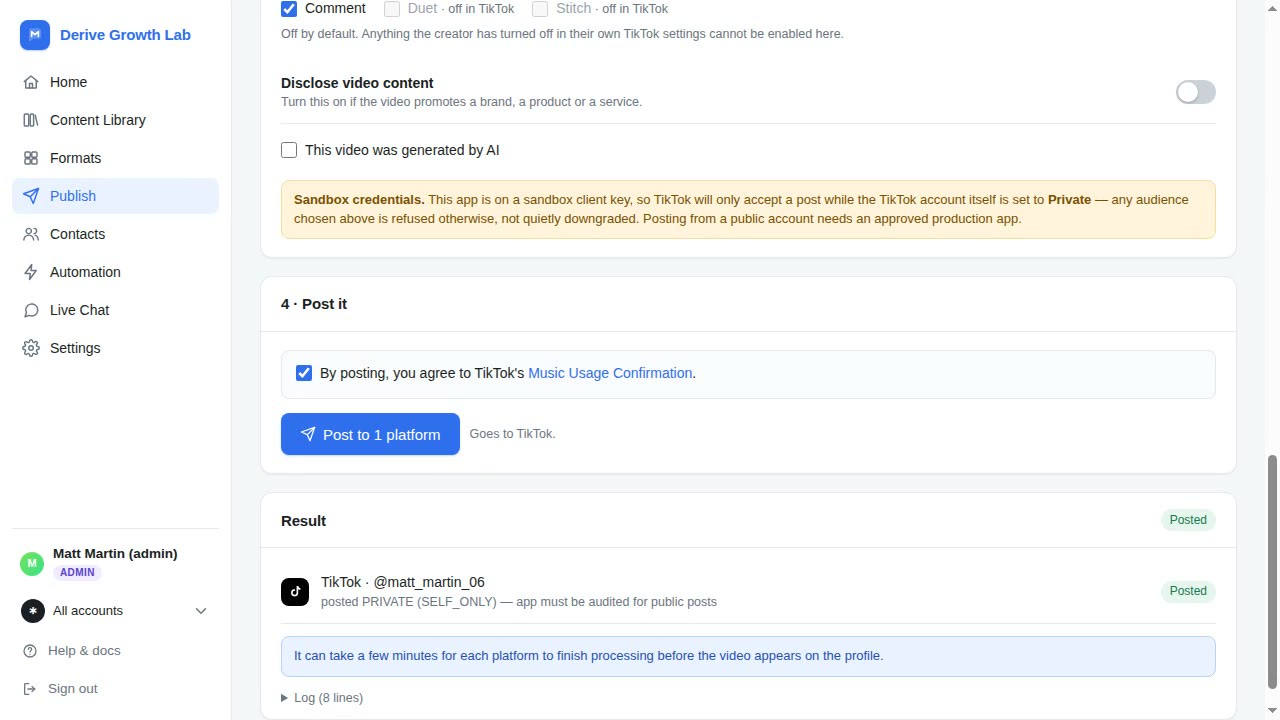
After you press Post, a Result panel reports each destination on its own line: Posted or Failed, the account it went to, and an Open button that takes you to the post.
When a platform refuses a post, Growth Lab translates the platform's error into what happened and what to do next — for example, that TikTok is rate-limiting the account and to try again later.
Platforms take a few minutes to process a new video, and the panel says so, so a video that is not on your profile yet is not mistaken for a failure.
Each account is connected through that platform's own OAuth screen, in the platform's own window. We never see or store your platform password.
Revoking Growth Lab's access from inside TikTok, Instagram or YouTube takes effect immediately and does not depend on us. We delete the stored tokens.
One Growth Lab user can run more than one social account, and switches between them from the app.
Admins manage every account; members see only the accounts they have been given. Each person has their own sign-in.
Growth Lab can also answer the people who comment on your Reels. You choose a keyword and write two messages; when someone comments that keyword on your post, Growth Lab replies publicly under the comment and sends that person a private reply with the link they asked for. It never messages anyone who has not contacted your account first.
 Derive Growth Lab