Publishing a video is one page with three stages, top to bottom. These are real screenshots of the product, taken from the same recording we show the platforms we integrate with — not mock-ups.
Nothing is sent to any platform until the very last action on the page.
Drop a finished video onto the page, or click to choose one. It uploads to Growth Lab only, and a preview appears so you can watch it back.
Growth Lab reads the video's real dimensions, duration and size and shows them beside the preview. Below it, every account you have connected is shown as a tile: tick the ones this video should go to.
Then write the caption once. It is used as the Instagram caption, the TikTok title and the YouTube description.
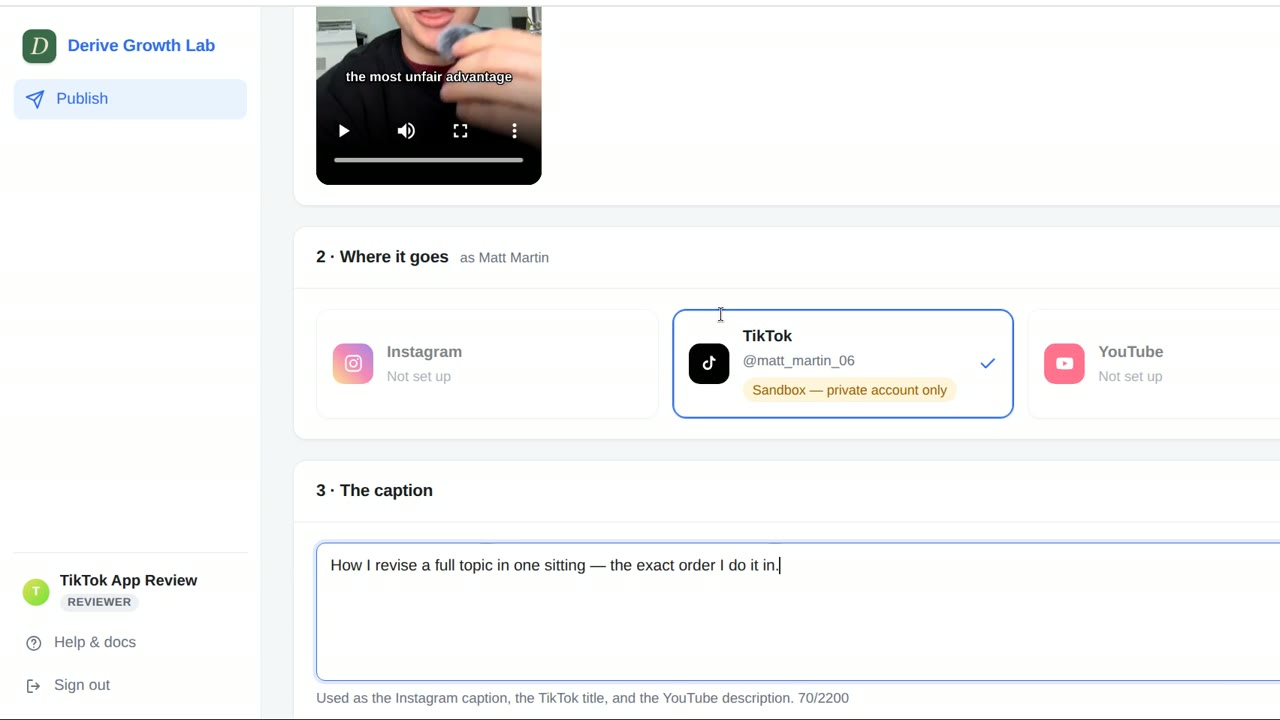
Each platform you ticked gets its own section. The TikTok section opens by showing the creator you are about to post as, read live from TikTok.
YouTube asks for a title and a visibility of its own.
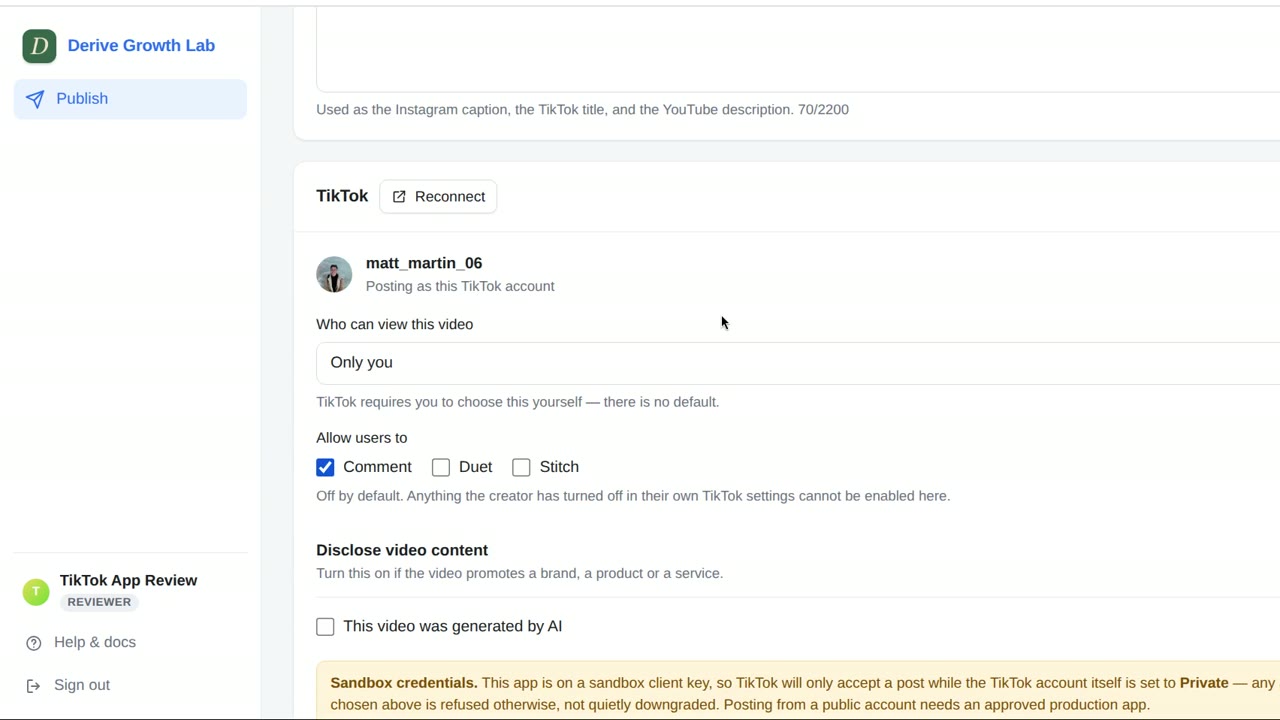
Directly above the button, tick to agree to TikTok's Music Usage Confirmation. If anything is still unanswered, the page lists it and the button stays disabled.
Press Post. Only now is the video sent to each platform. The Result panel then reports every destination separately — what was posted, to which account, and what to do about anything that failed — with a link to open each post.
New videos can take a few minutes to finish processing before they appear on a profile.
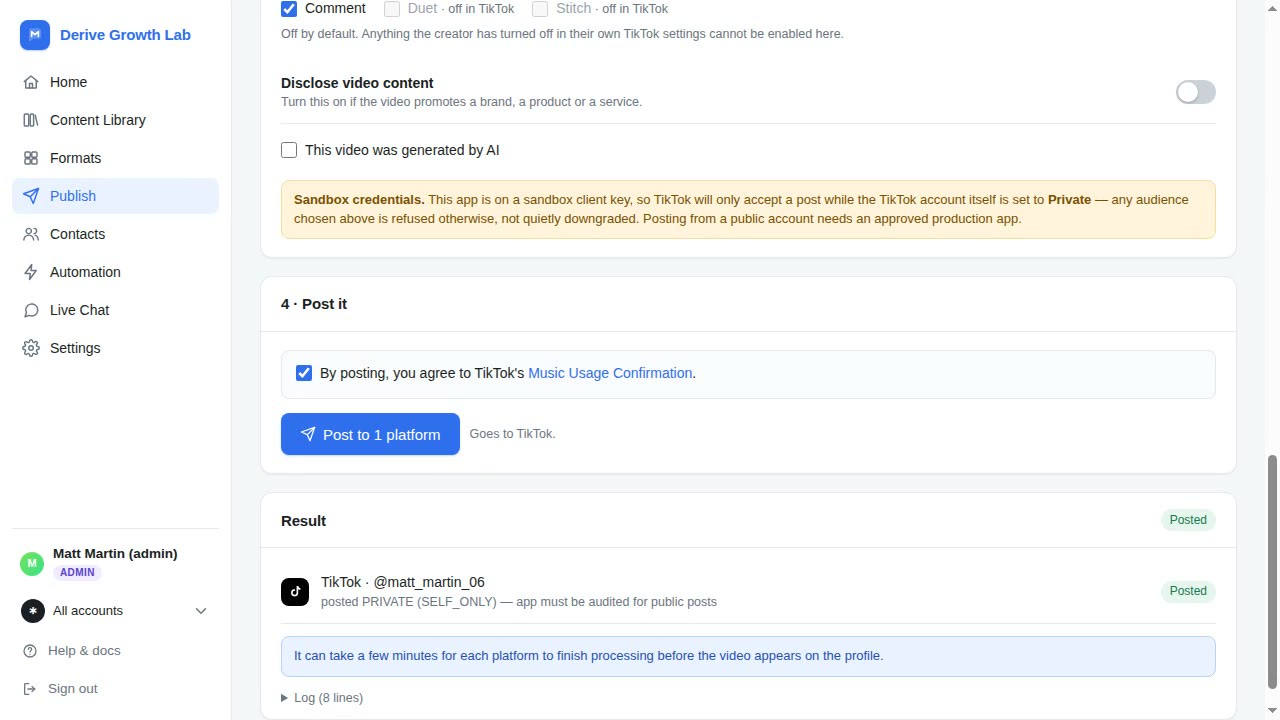
Published posts belong to your account on the platform, and you manage them there — edit, delete or change the audience in TikTok, Instagram or YouTube as you normally would. Growth Lab keeps a record of what it published so you can see your history.
 Derive Growth Lab